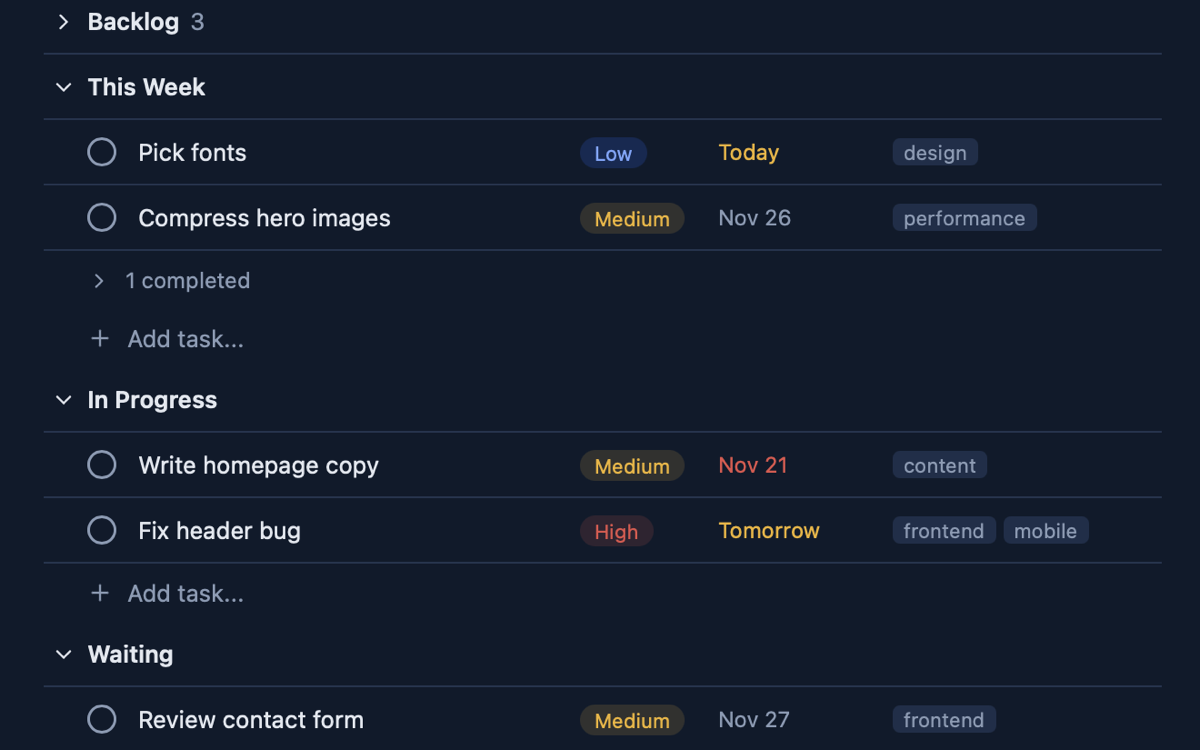
Projects and sections
Every top-level folder is a project. Add, rename, reorder and collapse sections, and drag tasks within and between them.
A task tracker for Mac where projects are folders and tasks are plain Markdown files. Everything stays on your disk. No cloud, no accounts, no database.
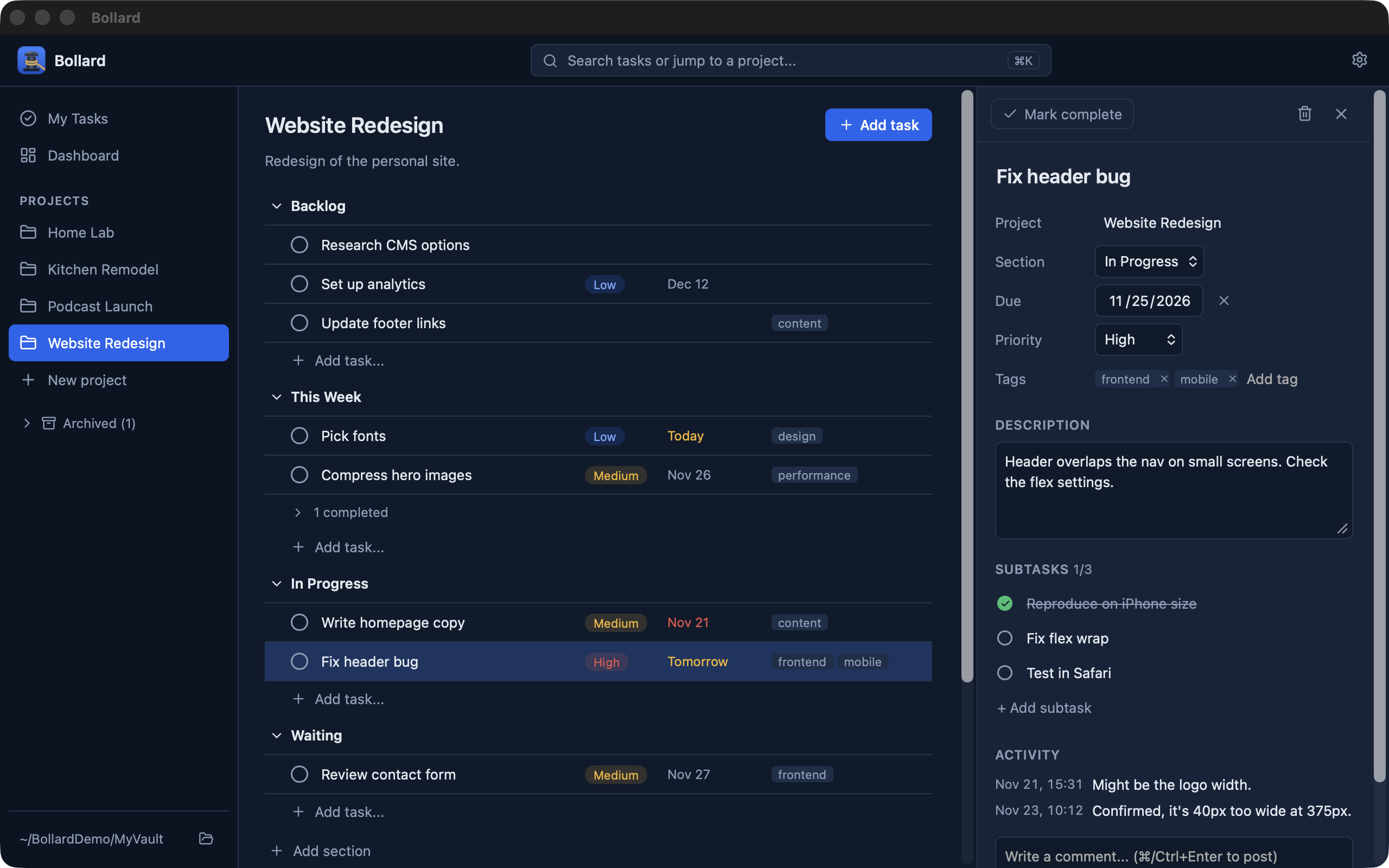
It's just files
Each project is a folder and each task is a Markdown file with a little frontmatter. Open it in any text editor, search it, put it in git. Bollard reads and writes the same files you do.
MyVault/
├── .tracker/
├── Website Redesign/
│   ├── _project.md
│   ├── fix-header-bug.md
│   └── meeting-notes.md
└── Home Lab/
    └── setup-nas.md
---
type: task
title: Fix header bug
section: In Progress
order: 2000
completed: false
completed_at:
priority: high
due: 2026-12-01
created: 2026-11-21
tags: [frontend]
blocked_by: []
---
Header overlaps nav on mobile. Check the flex settings.

## Subtasks
- [x] Reproduce on iPhone size
- [ ] Fix flex wrap

## Activity
- 2026-11-21 14:02 - Created
- 2026-11-21 15:31 - Comment: Might be the logo width.
Fix header bug
Header overlaps nav on mobile. Check the flex settings.
Subtasks 1/2
Features
Sections, due dates, priorities, subtasks and comments, all stored as text you can read.
Every top-level folder is a project. Add, rename, reorder and collapse sections, and drag tasks within and between them.
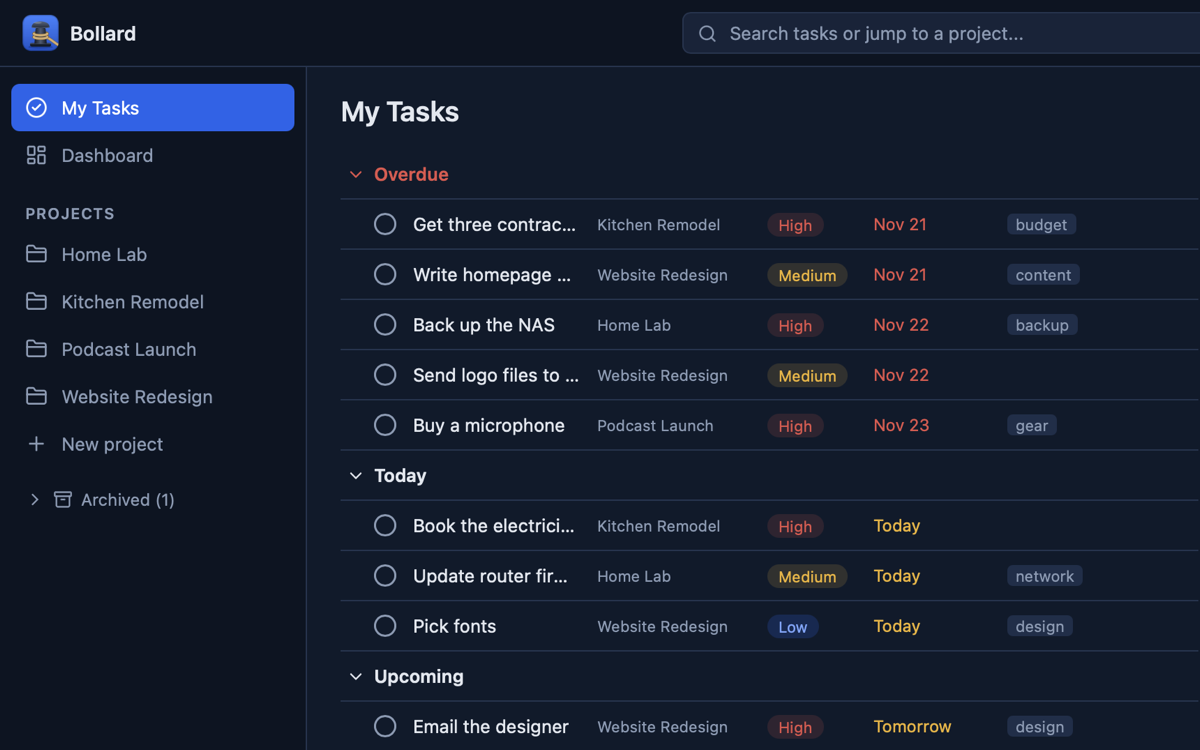
Everything still open across all projects, grouped into Overdue, Today, Upcoming, Later and No date.
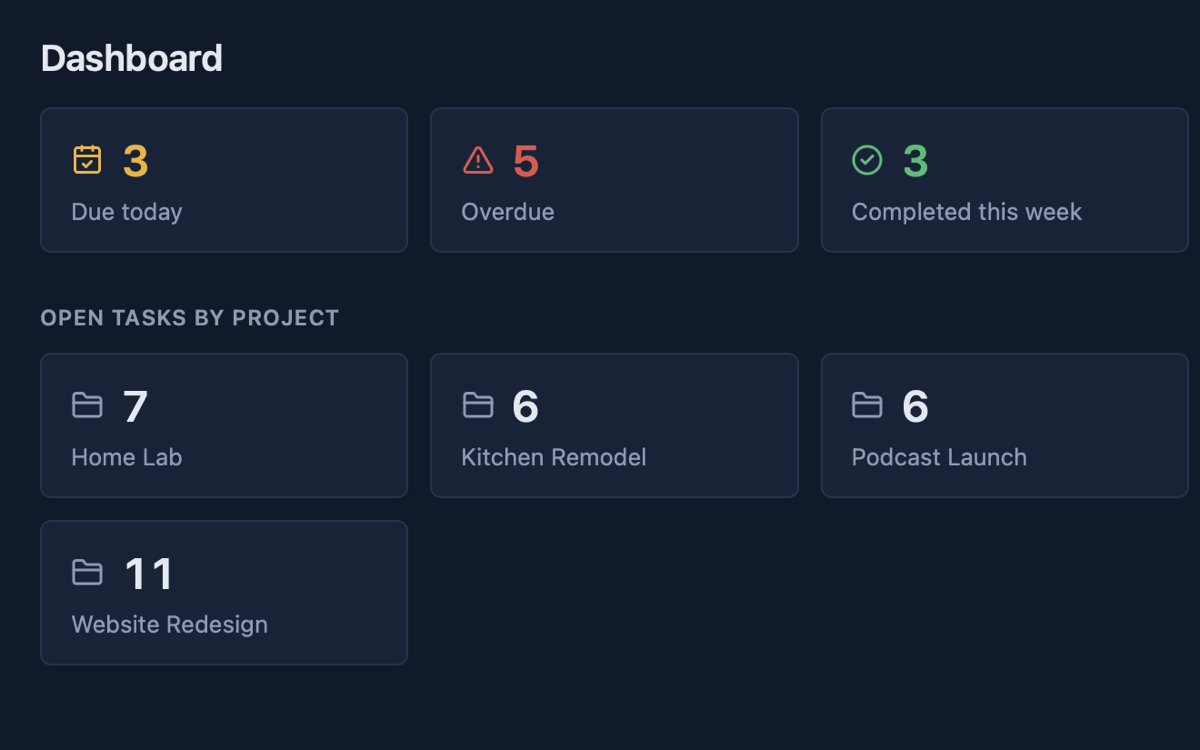
Due today, overdue, done this week and open tasks per project. Click a tile to see the tasks behind it.
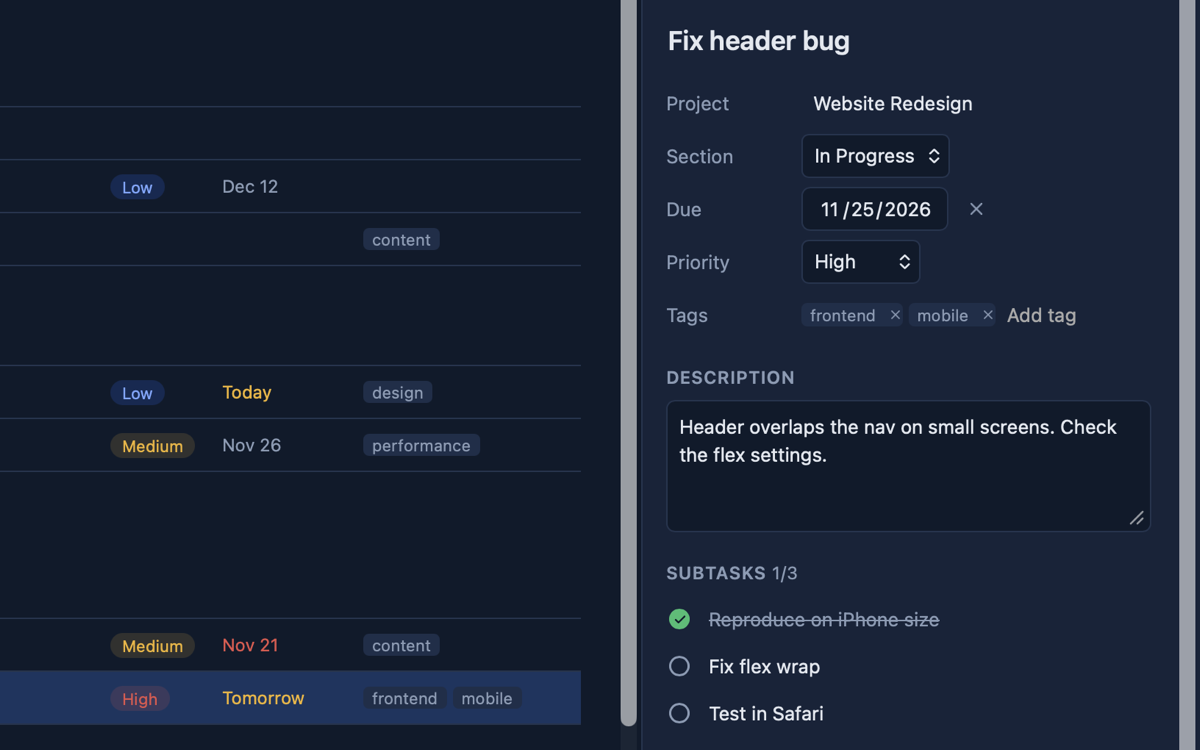
Set the due date, priority and tags, write a description, keep a subtask checklist and leave comments. Key changes are logged as activity.
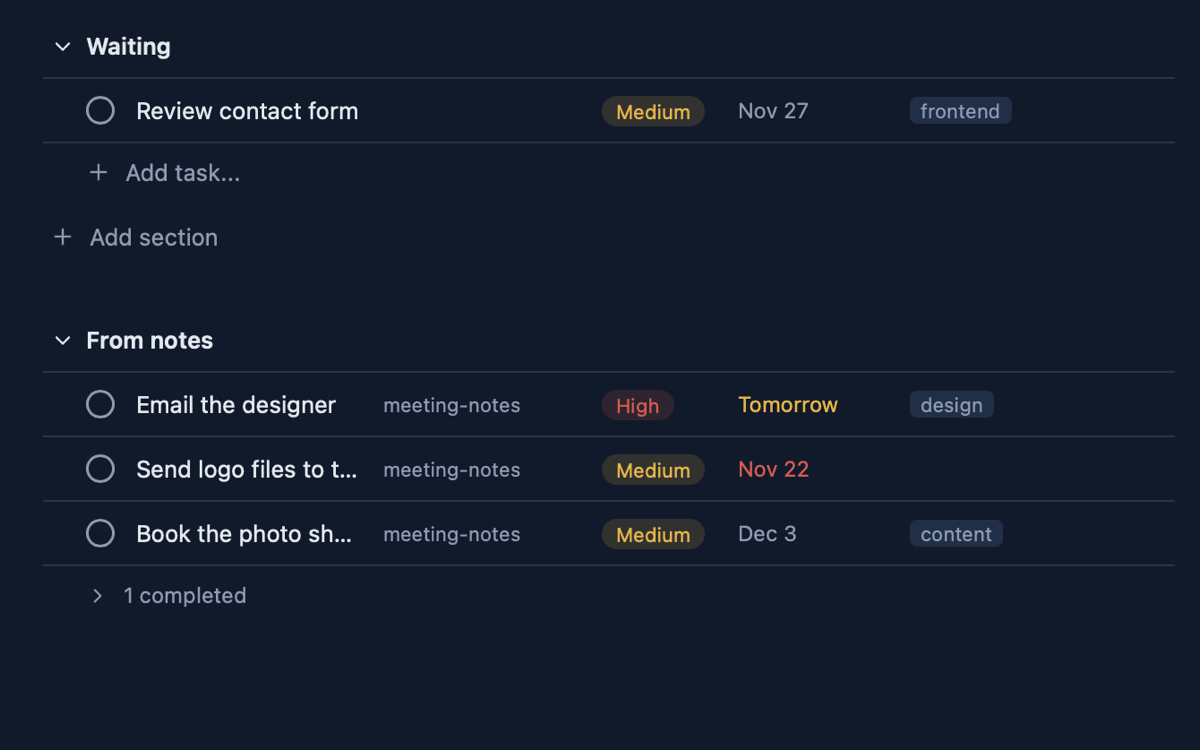
Checkbox lines in ordinary notes show up next to your tasks. Complete them or change their due date and priority.
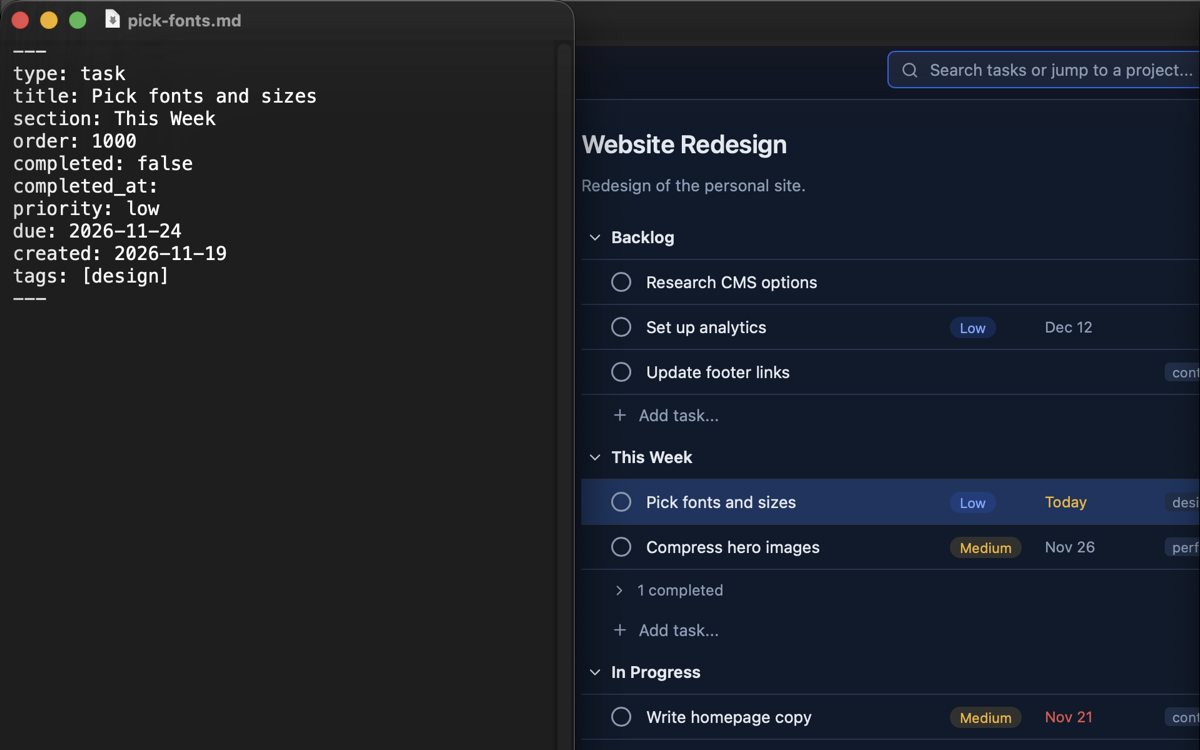
Edit a file in any other app and the change shows up in Bollard right away.
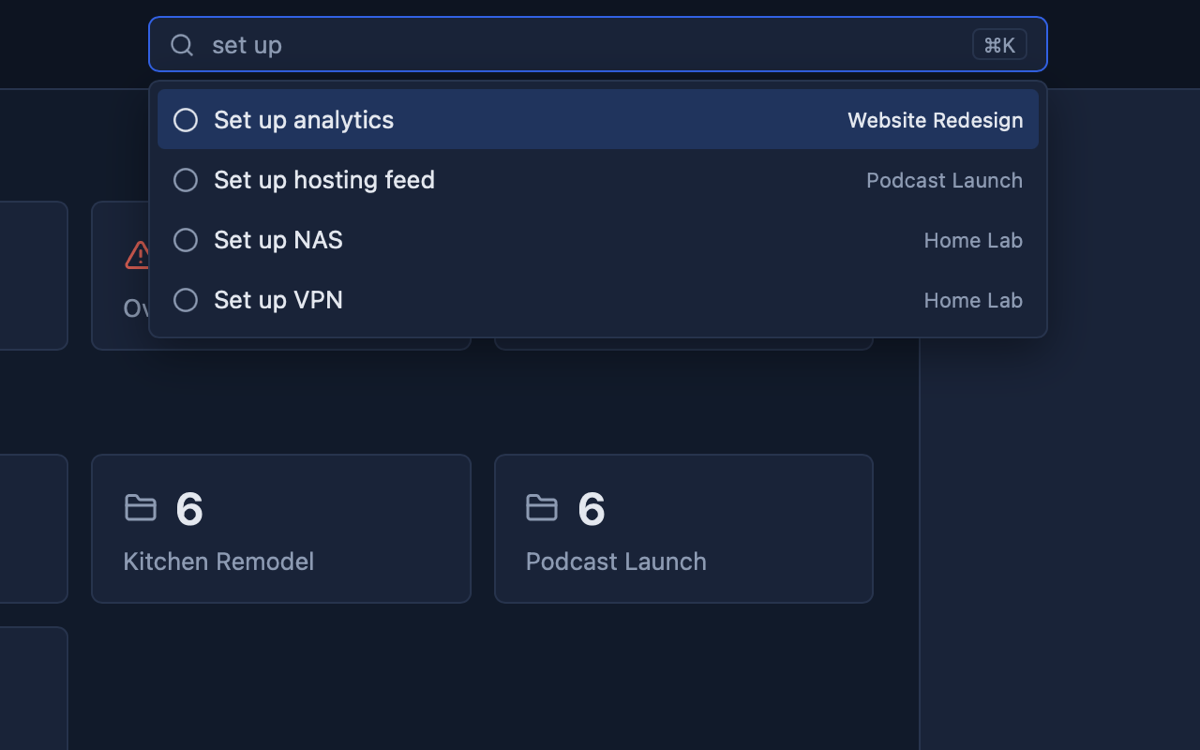
⌘K to search or jump to a project, arrow keys to move through tasks, and shortcuts to add and complete them.
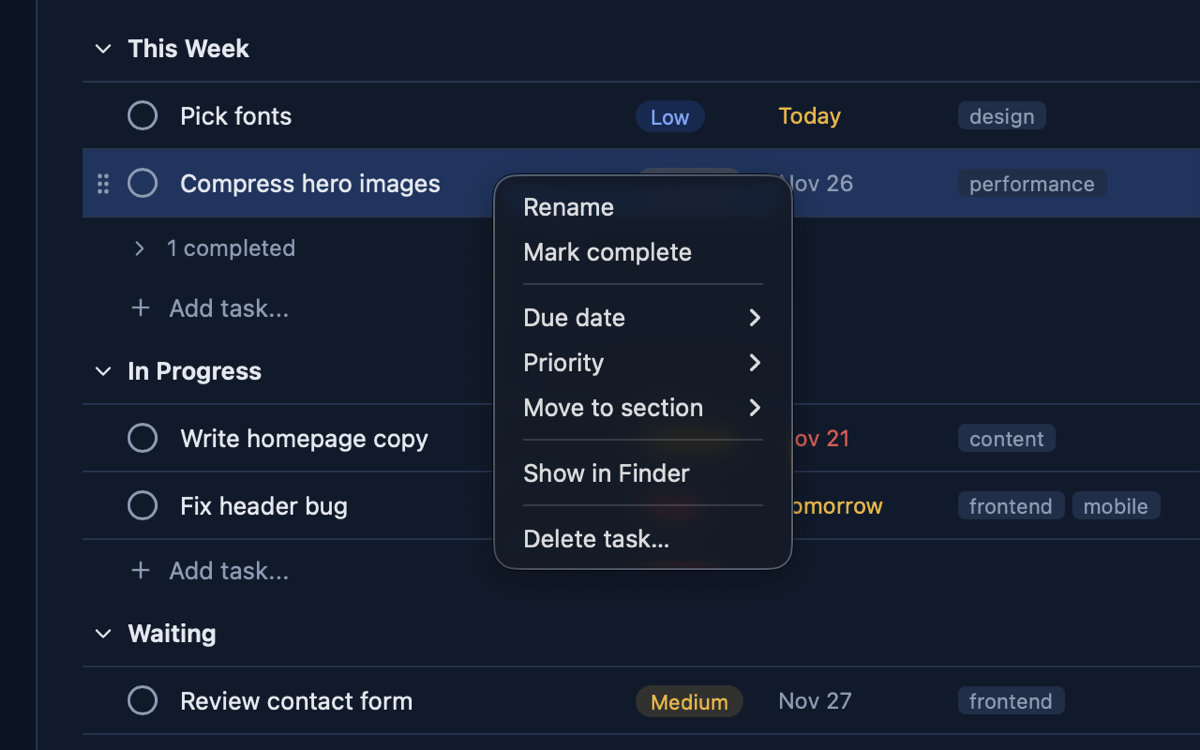
Rename, complete, reschedule or move a task, change a project's status, or show a task or project in Finder.
Your files are safe
Bollard edits files you also edit by hand, so every change is small, exact and never a guess.
Each change re-reads the file and replaces only the lines involved. Everything else stays byte-for-byte the same, line endings included.
Changes go to a temporary file first, then replace the original in one step.
Edits to the same file run in order, so two quick changes can't overwrite each other.
Before changing a checkbox line, Bollard confirms it's still there with the same text. If it can't find the line exactly, it refuses rather than guessing.
Deleted tasks move to .tracker/trash/ in your vault, so you can always get them back.
Still, keep your vault backed up (Time Machine, or the vault in git), as with any app that edits your files.
Works with your notes
Checkbox lines in any note in your vault become tasks, with a few emoji markers for due dates, priority and tags. Jot a task in a daily note and it appears in Bollard; check it off in Bollard and the ✅ date lands in your note.
- [ ] Email the designer 📅 2026-11-25 ⏫ #design
- [x] Pick color palette ✅ 2026-11-20| Marker | Meaning |
|---|---|
📅 2026-11-25 | Due date |
✅ 2026-11-20 | Completed on (added when you check it off in Bollard) |
➕ 2026-11-01 | Created on |
⏫ / 🔼 / 🔽 | High / medium / low priority |
#tag | Tag |
Nothing to sign up for and nothing to import.